We set your team up on Claude, and teach them to use it
Most companies already pay for Claude or ChatGPT and use a fraction of it. We configure the tools, write the skills and connections your work needs, and train the people, so the subscription becomes a system.
AI adoption and enablement is the work between buying an AI tool and a team actually using it well: setting up Claude for the company, writing the skills that capture how your team does its recurring work, connecting it to your documents and live data, agreeing what is allowed on one page, and training people on the workflows that matter. TechBrig does this as a short engagement, Claude first, and for ChatGPT, Gemini and Copilot where that is what you have.
The result is not a slide deck. It is a configured workspace: a project for each team, skills for the recurring work, connections to the data that work depends on, a policy people can follow, and a team that has run its own workflow with us at least once. Custom builds are a separate service; this one is about making the tools you already have earn their keep.
 Claude
 ChatGPT
 Gemini
 Microsoft 365 Copilot
 Notion
 Slack
Slack Google Drive
 GitHub
Claude first. The same setup and training for the tools you already pay for.
Claude, configuredClaude, configured for how your company works
Workspace and projects
Claude for your team or enterprise, set up with a project per team: its standing instructions, its reference files and the people in it. The design team's Claude and the finance team's Claude behave differently because they are told different things.
Tailored skills
A skill is a short file that tells Claude when it applies, how your team does a task, and which references to load. Brand voice, the weekly report, the client memo format, the review checklist. Written once, with the people who do the work, and loaded automatically when the task matches.
Connections to live data
Google Drive, Slack, Notion, HubSpot, your database or your own API, connected through the Model Context Protocol so answers come from the current record rather than a file someone pasted in last month.
Claude Code for technical teams
Engineers set up with the repository conventions, a project file that explains the codebase, skills for the recurring tasks and a review workflow, so the tool follows the team's standards rather than its own.
Policy and guardrails
What may go into the tool, what may not, what needs a person's review before it leaves, and who owns the decision. One page, agreed with you, written so people actually follow it.
ChatGPT, Gemini and Copilot
Custom GPTs, Gems, agents and connectors on the tool your company already has. We are Claude first because it is strongest on long documents and tool use, and we are not exclusive. The setup is the same idea on each.
Three things teams asked for recently
Each one was built inside Claude with the team that uses it, on their own files and data, in a few weeks.
A social media content system for a design team
A campaign brief goes in. Claude applies the brand voice, the claims rules and the per-platform formats from the team's skills, and drafts the posts, captions and creative directions for the designers to finish. Anything that needs legal sign-off is flagged rather than guessed.
A knowledge base connected to live data
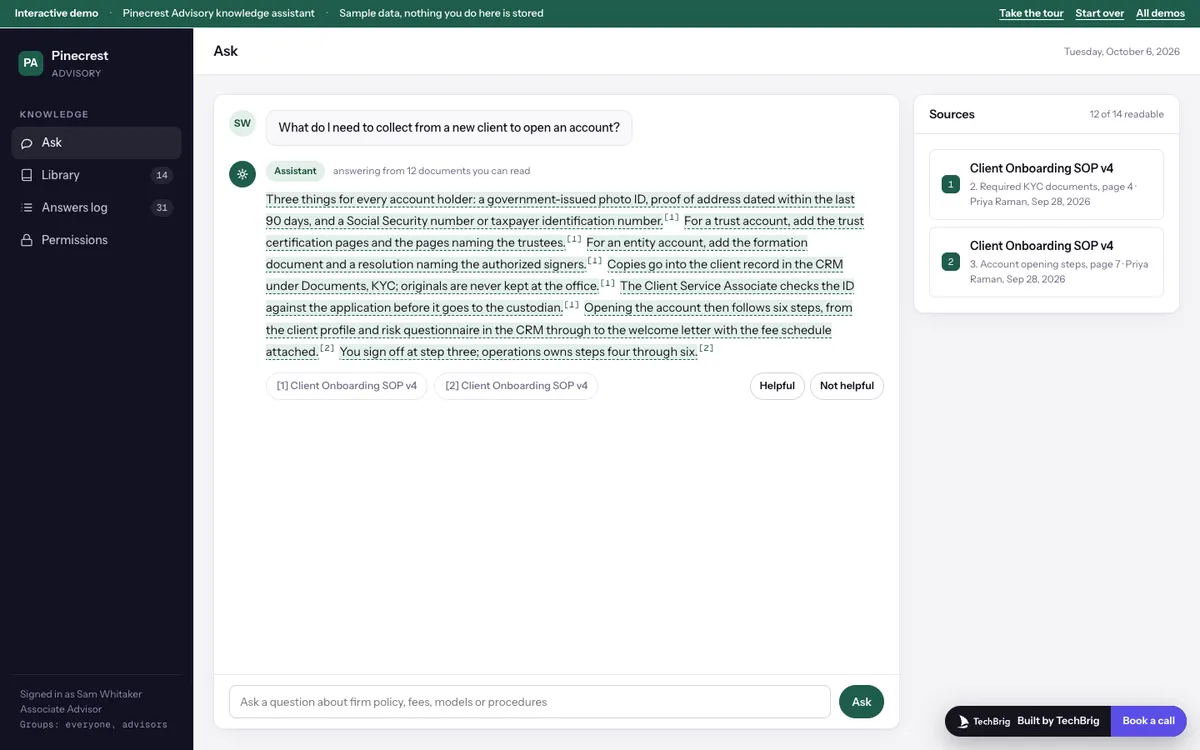
The team asks a question in Claude and gets an answer that cites the current record: the pipeline, the inventory, the status of a project, the latest version of a policy. Built on connections to the live systems, not on a folder of uploads that goes stale.
Daily briefs
Every morning a short brief drafted from the calendar, the inbox, the CRM and the numbers, with the source of each line. A skill plus three connections. Read in two minutes before the day starts.
People learn a workflow, not a tool
Working sessions by team
Two hours with each team, on their real work from last week. They leave with the task done and the skill that did it.
Playbooks in your words
A short page per workflow: when to use it, what to give it, what to check before it goes out. Kept with the skill so it stays current.
Office hours for a month
A standing slot each week after launch for the questions that only come up once people are using it.
A champion per team
One person who owns the team's skills afterwards, trained to edit and add them, so the setup keeps improving without us.
A skill, and what it produces
Left: a tailored skill, the file that tells Claude when and how. Right: a brief it drafts every morning from live connections.
- Three client calls today; the 2 pm one has an open proposal with no reply in nine days.Calendar · HubSpot
- Two deals moved to contract over the weekend. One is missing a signed order form.HubSpot
- Design asked in #launch for sign-off on the October creative by Wednesday.Slack
From first call to a system that stays in use
Audit what you already have
Licenses, who uses what, where people paste things today, and which recurring tasks eat the week. A half day with the teams, not a survey.
Design the setup
Teams, projects, the first skills, the connections that matter, and the one-page policy. Agreed with you before anything is built.
Build and connect
Skills written and tested on real tasks with the people who own them. Connections made live under your own accounts and access controls.
Train and hand over
Working sessions, playbooks, office hours, and a champion per team who owns it from then on.
Working builds you can open in your browser
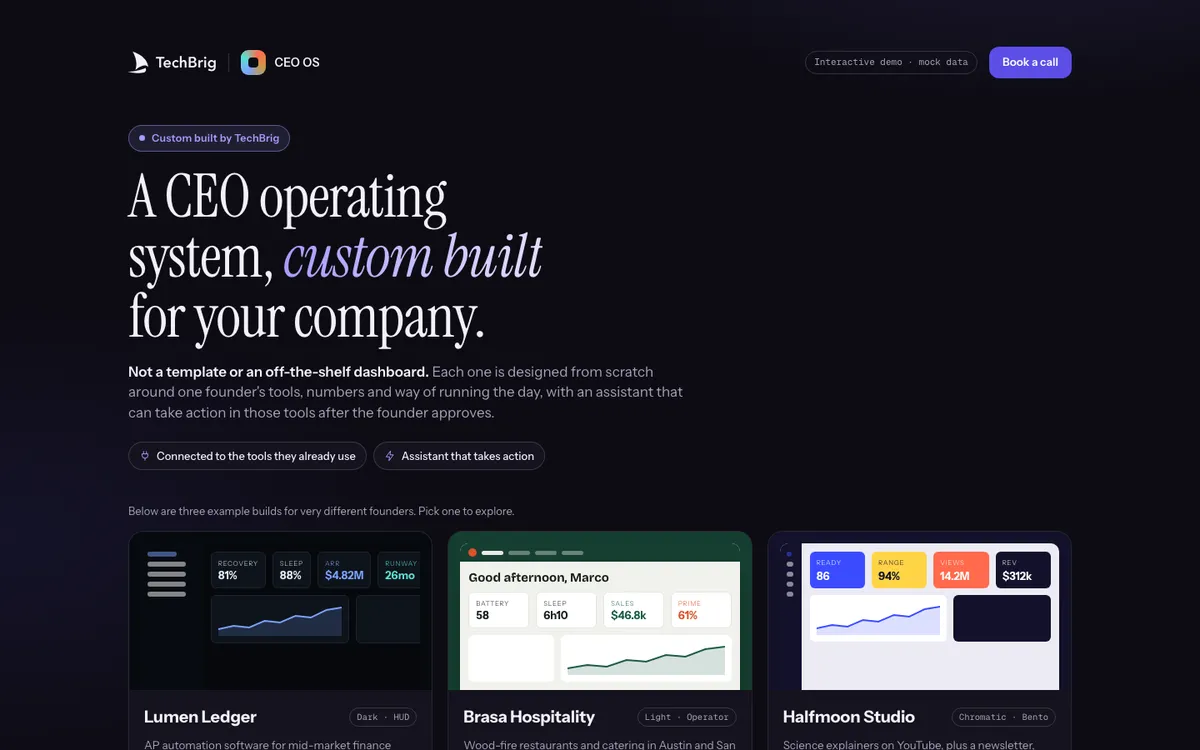
Each one runs on sample data with a guided tour. Read what it does and who it is for, then open it.
Questions people ask before they call
What is AI adoption and enablement?
The work between buying an AI tool and a team using it well: setting up the workspace and projects, writing the skills that capture how the team does its recurring work, connecting the tool to documents and live data, agreeing a short policy, and training people on their own workflows. It is a short engagement, not a custom build.
What is a Claude skill?
A short file that tells Claude when it applies, how your team does a particular task, and which reference files to load. Brand voice, a report format, a review checklist. Claude loads the right skill when the task matches, so the knowledge is written once and used every time.
What are connections, and what is MCP?
Connections let Claude read from and act on the tools your company runs on: Google Drive, Slack, Notion, HubSpot, a database or your own API. The Model Context Protocol is the open standard most of them use. With connections, answers come from the current record rather than a pasted file.
Do we need Claude Team or Enterprise?
For a company setup, yes: team and enterprise plans give you shared projects, admin controls and the data terms most companies need. We help you pick the plan, and we work with what you already have on the first call.
Is our data safe in Claude?
On team and enterprise plans your data is not used to train models, and admins control what connects and who sees what. We write the one-page policy with you so people know what may go in and what may not, and connections run under your own accounts and access controls.
Can you do this for ChatGPT, Gemini or Copilot instead?
Yes. Custom GPTs, Gems, agents and connectors on the tool you already have. We are Claude first because it is strongest on long documents and tool use, and we are not exclusive. The setup and the training follow the same idea on each.
How long does an enablement engagement take?
Usually three to six weeks for a company with a handful of teams: an audit, the setup and skills, working sessions per team, then a month of office hours. Larger companies go team by team.
How is this different from your custom builds?
Enablement configures and teaches the tools you already pay for. A custom build is software we design and engineer for a workflow that crosses systems and carries your rules. Many companies start with enablement and find the first custom build from what the teams ask for next.
Claude is a product of Anthropic. ChatGPT is a product of OpenAI. Gemini and Copilot belong to Google and Microsoft. TechBrig is an independent consultancy and is not affiliated with any of them.
Already paying for Claude? Let's make it earn its keep.
Thirty minutes with Ishaan to look at what your team has, what they use it for, and what the first setup would be.
Book a free callor write to us at [email protected]