A CEO operating system, custom built for your company
Not a template or an off-the-shelf dashboard. Each build is designed from scratch around one founder's tools, numbers and way of running the day, with an assistant that can take action in those tools after the founder approves.
Runs in your browser on sample data. Nothing you do in it is stored. Built for founders and owner-operators.
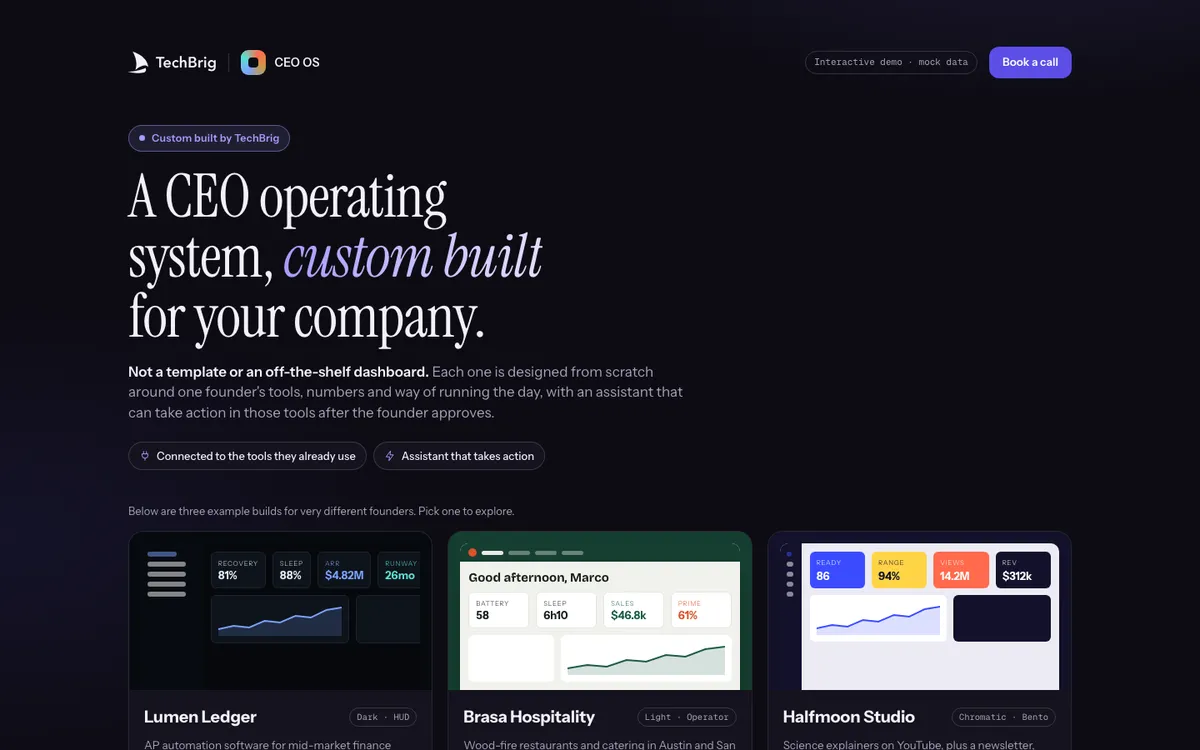
Lumen Ledger, Brasa Hospitality and Halfmoon Studio: three builds for three very different companies, each on its own stack.
Six things the demo does end to end
Three founders, three builds
An AP automation software company, a wood-fire restaurant group and a science YouTube studio. Each OS looks different because each founder's week is different.
The morning view
The numbers that matter to that founder today, pulled live from their own tools: MRR and failed payments for one, covers and labour for another, views and revenue for the third.
Needs you
The decisions waiting on the founder, with the context attached: a discount to approve, a renewal at risk, a trial expiring Friday, a contract to sign.
An assistant that acts
Ask it to draft the investor update, chase the failed payments or prepare the board deck review, and it does it inside the connected tools, after the founder says go.
Every connection shown
Which tools the OS reads and acts in, and how data flows between them. Nothing is hidden behind the dashboard.
What a build involves
Each example ends with the plan that produced it: the tools connected, the weeks it took, and what the founder had to do.
Three steps, five minutes
Pick a founder
Choose one of the three example builds. Each opens on that founder's morning view.
Open Needs you
Approve or decline one of the waiting decisions and watch the assistant carry it out in the connected tool.
Ask the assistant
Type a request in the founder's own words and read what it prepares. Then open Connections to see what it had access to.
We build it custom for your company
The demo runs on sample data. A real build connects to your own tools and is fitted to how you already work.
Your tools, read and acted in
Connected to the systems your company already runs, whether Stripe, QuickBooks, HubSpot, Slack, Google Workspace, Toast, Shopify or YouTube, through their own APIs.
Your numbers and your day
Designed around how you actually run the company: the metrics you look at first, the decisions that reach you, and the rhythm of your week.
Approvals before action
The assistant proposes; you approve. Every action is logged, reversible where the tool allows it, and scoped to what you granted.
Built in weeks, then yours
A first version on your real data in a few weeks, extended as your company changes, and documented so it does not depend on us.
Want this built for your company?
Thirty minutes with Ishaan: what it would connect to, what it needs from your side, and whether it makes sense to build it together.
Book a free callor write to us at [email protected]