Client documents in, review-ready work product out
A working prototype of a tax preparation system for CPA firms. Documents arrive, get read and get mapped to the return without anyone touching them. What reaches a preparer is only what the system could not settle on its own.
Runs in your browser on sample data. Nothing you do in it is stored. Built for cPA and tax practices.
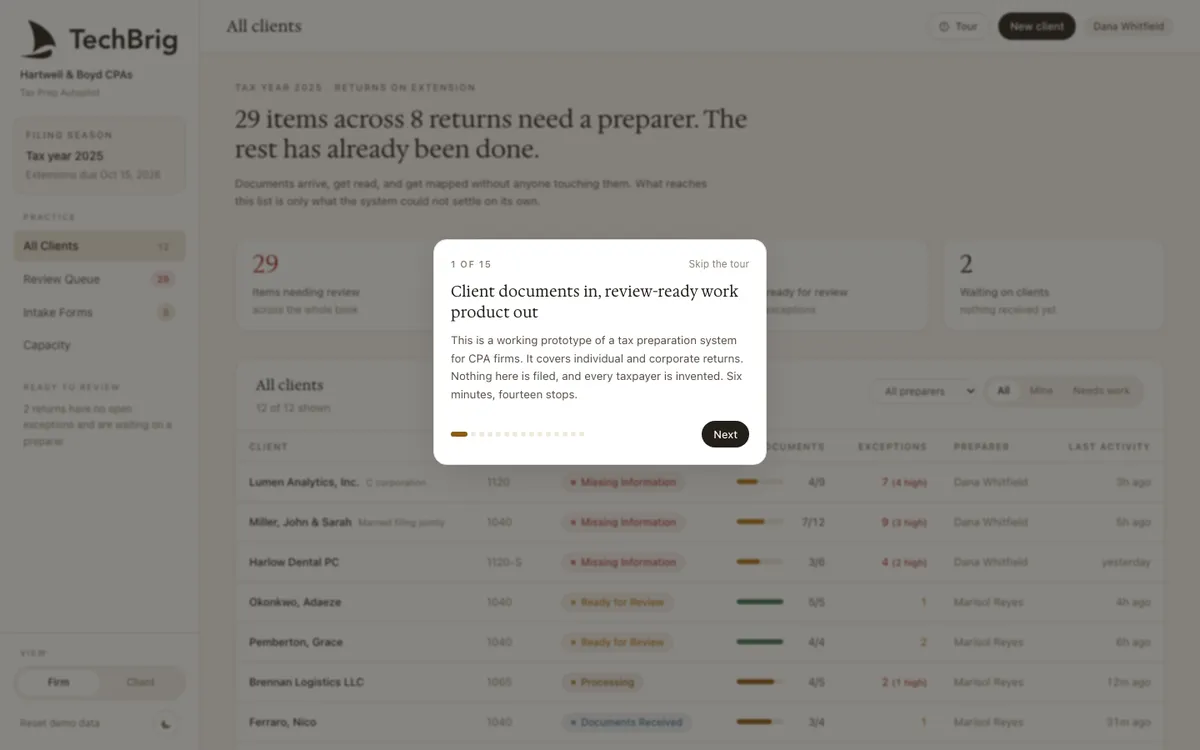
Hartwell & Boyd CPAs, tax year 2025: twenty-nine items across eight returns need a preparer. The rest has already been done.
Six things the demo does end to end
Documents read on arrival
W-2s, 1099s, K-1s, bank statements and a client's own spreadsheet are read as they land, with each figure mapped to the line it belongs on and the source kept beside it.
A review queue, not a to-do list
Only what the system could not resolve reaches a preparer: a figure two documents disagree on, a document that never arrived, a treatment that needs judgement. Each item says why it is there.
Missing information chased by the system
Clients with gaps get a specific list of what is outstanding. The intake form fills itself from what already arrived, so the client is never asked twice.
Individual and corporate side by side
A 1040 for a married couple and an 1120-S for a dental practice run through the same pipeline, with the forms each return needs and the exceptions that are typical for each.
Capacity across the practice
Who has what, which returns are ready for review, and where the season is against the extension deadline, on one screen for the person running it.
The firm view and the client view
Switch between what the practice sees and what the client sees. The client gets a plain status and a list of what is still needed; the firm gets everything.
Three steps, five minutes
Take the tour
Six minutes, fourteen stops. It walks from the all-clients view into one return, its documents, its exceptions, and the review that signs it off.
Open a return with exceptions
Lumen Analytics or the Millers. Click an item in the review queue to see the two documents behind the disagreement and resolve it.
Reset and try the other view
Reset demo data in the sidebar, switch to the client view, and see what a client receives when something is missing.
We build it custom for your practice
The demo runs on sample data. A real build connects to your own tools and is fitted to how you already work.
Your tax software and your document intake
Connected to the software you prepare in, whether Drake, Lacerte, UltraTax, CCH or ProSeries, and to the channel clients already use to send documents: portal, email or a shared drive.
Your return types and your checklist
The forms and schedules your practice actually prepares, in your review order, with the exceptions your reviewers care about surfaced first.
Tested on last season
Run on a sample of returns you already prepared, compared line by line with what the team produced, and tuned until it matches before it touches a live client.
A preparer owns every return
The system drafts and flags. A preparer reviews and signs. Nothing is filed by the system, and every figure carries the document it came from.
Want this built for your practice?
Thirty minutes with Ishaan: what it would connect to, what it needs from your side, and whether it makes sense to build it together.
Book a free callor write to us at [email protected]